

ForgeNEX CRM
Build a CRM that fits your business
Build on a shared foundation. Add modules, install solutions and connect your data and apps as you work, on your own or with Pix.
Modules
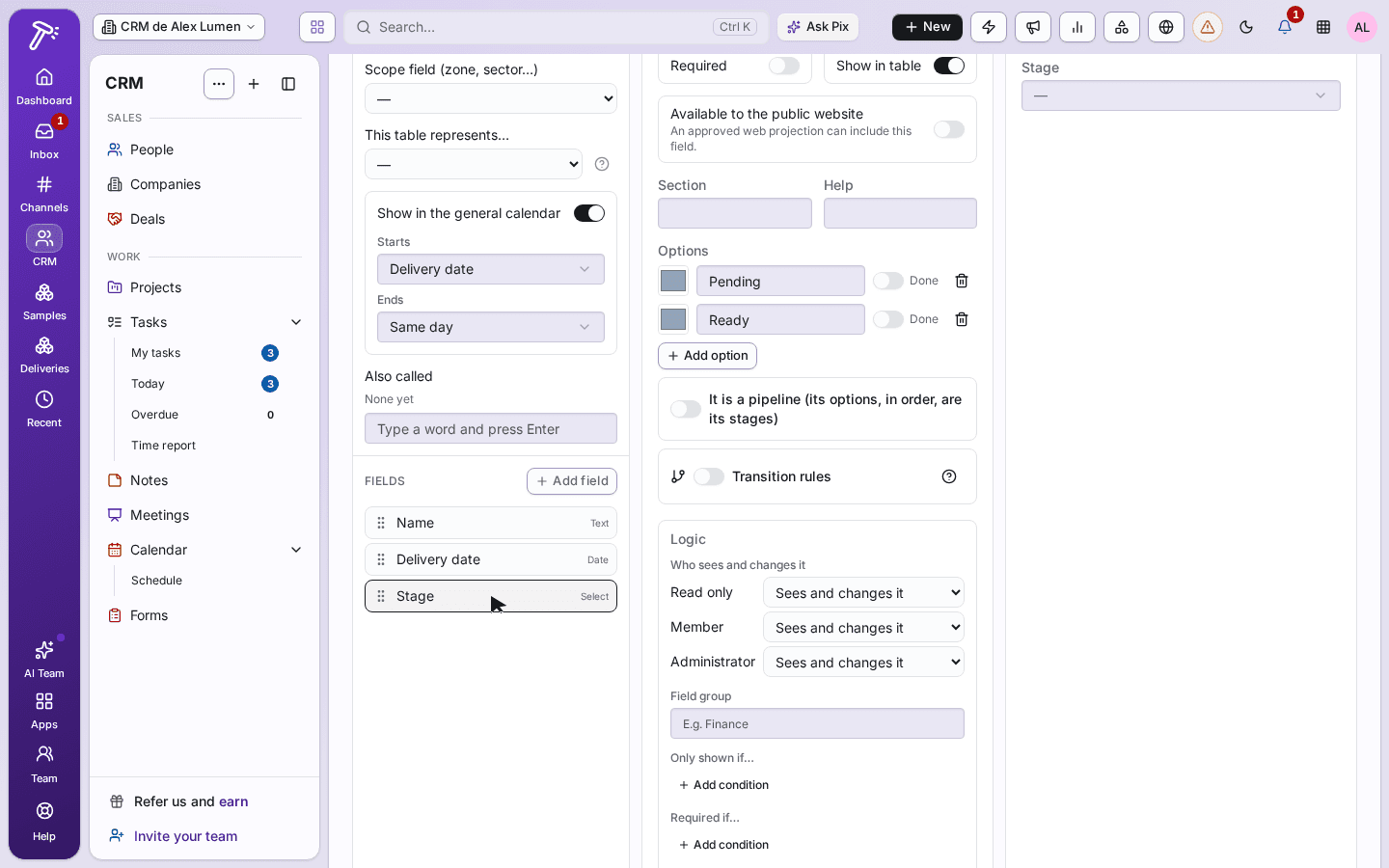
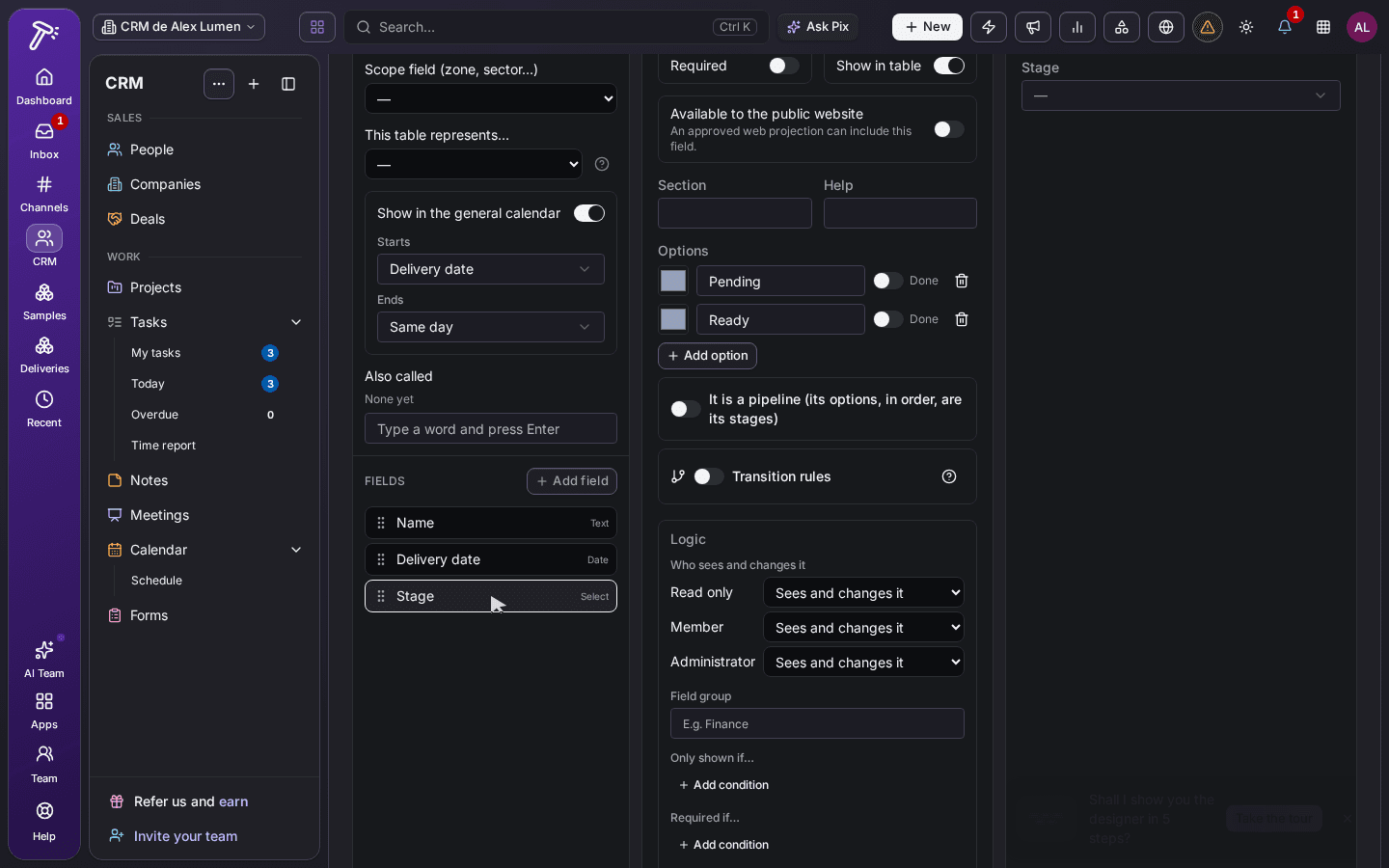
Build modules with custom fields. Choose a view that fits how you work with their records.
- Add text, date and select fields.
- Group kanban cards by stage.
- Show records on a calendar by date.
Solutions
Install a gallery solution to start with a workflow for your industry. Adapt its modules, automations and documents to your business.
- Install Vehicle Shop and Workshop.
- Keep your existing People and Companies when adding the solution.
- Adapt the documents your team uses.
Connections
Link records so you can open them from the module you are working in. Use connectors and automations to get data to the team that needs it.
- Link a record to a Person or Company.
- Migrate HubSpot data from Connectors.
- Connect n8n workflows through the API.
Apps
Group related modules in a CRM app. Extend that workspace with custom screens and actions when you need them.
- Organise modules under one entry point.
- Draft an extension with Pix and review the result.
- Use npx forgenex to work with the developer toolkit.
Build it by talking to Pix
Tell Pix how you work. Review the draft modules and relationships before publishing them to your workspace.
- Answer questions about your workflow.
- Review the proposed fields and relationships.
- Choose when to publish the draft.
How the pieces fit together
- Modules
Vehicles · Registrations
- Solutions
Vehicle workshop · Energy
- Connections
HubSpot · n8n
- Apps
Screens · Actions
- Pix
Drafts · Modules
People · Companies · Tasks · Calendar · Notes · Files
Frequently asked questions
Do I need to code?
You can create modules, set up relationships and install solutions using the designer and gallery. The app toolkit is available when you want to code your own extensions.
What happens to my data if I change a module?
You can change labels and views without re-entering records. Before removing fields or changing how you use them, export the data you want to keep.
Can I use several solutions in one workspace?
Yes. You can install several solutions and link their modules to your existing People and Companies, within your plan limits.
Can Pix draft a module for me?
With AI enabled and available credit, Create with Pix asks you questions and prepares a draft for you to review before publishing.
Start with the pieces you need
Open your workspace and build around the way your team works.