

Sports
Connect padel or tennis courts to ForgeNEX
Try ForgeNEX with this solution for 14 daysChoose this solution when you set up your CRM.
What you can manage
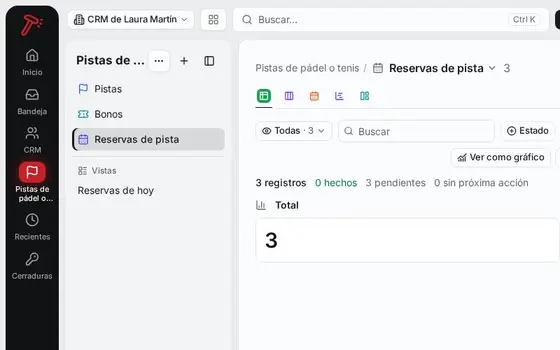
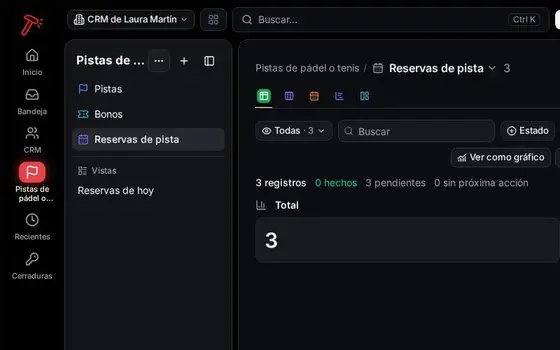
Use «Court bookings» as the starting point for Padel or tennis courts. The same workspace also has tables for «Courts», «Members and customers», and «Passes», so your team can keep each type of record in its own place.
What’s included
Court bookings
Booking · Court · Member or customer · Pass · Start · End · Status (Confirmed, Played, and Cancelled) · Price · Access code · Code valid.
Views · booking board and calendar
Record PDF.
Courts
Name · Sport (Padel and Tennis) · TTLock lock · Shelly lights.
Members and customers
Name · Email · Phone.
Passes
Name · Member or customer · Sessions · Price · Price per session.
Saved table views · 1
Automation rules supplied · 3
Message templates · 1
A day with ForgeNEX
- When you add court bookings, you start with booking, court, and member or customer so the team has the details to hand.
- As the day goes on, you use the booking board to keep track of court bookings.
- Once TTLock is connected, the automation generates an access code for the person who’s due to arrive. The rule also sends the code by email. The rules can replace or revoke the code if the booking or access arrangement changes.
Working with Pix
- Catch me up on courts (padel).
- Can you break down courts (padel) by name?
Pix can access only the records your account can see.
Connectors
- TTLock · Access codes for compatible locks.
- Shelly · Control of compatible devices, such as lighting. Optional.
Frequently asked questions
- Where do I start with «Court bookings»?
- Choose «Padel or tennis courts» when setting up ForgeNEX CRM. Open «Court bookings» to create and review records with the included fields.
- Can I adapt the solution to the way my team works?
- Yes. After installing «Padel or tennis courts», use the CRM designer to adjust fields and views such as those in «Court bookings».
- Which connectors are included for «Padel or tennis courts»?
- The solution is configured to work with TTLock and Shelly. Connect your account and check compatible devices before using these workflows.
Let us or a partner set it up for you
Tell us how your team works so we can discuss the setup.
Talk about setup