

AnythingLLM vs LM Studio vs Ollama: which local LLM?
AnythingLLM vs LM Studio vs Ollama compared for companies: privacy, cost, setup. Want it running at your company? We deploy local AI.
10 min read
In this article
- What's new in October 2026
- What each tool is (and what it isn't)
- Current status in 2026: key new features
- Direct comparison: the criteria that matter
- Performance and hardware requirements
- Use cases: which one suits you?
- Integration between the three: the ultimate 2026 stack
- Ecosystem and alternatives in 2026
Running large language models directly on your own hardware is no longer a feat reserved for researchers. As of mid-2026, local AI is a daily reality for developers, enterprise teams, and power users who prioritize privacy, control, and zero token costs. The three most popular tools in this ecosystem —Ollama, LM Studio, and AnythingLLM— have evolved tremendously since their early versions, introducing paradigm-shifting updates like remote encrypted linking, built-in cloud hybrid options, and native tool orchestration. This comprehensive guide breaks down each platform, compares them on the criteria that actually matter today, and gives you a clear answer based on your use case.
What's new in October 2026
These tools change every week. What follows comes from their official release notes, read on 26 October 2026; check each one's latest version before you decide.
- Ollama 0.40.x (0.40.11 shipped on 24 October). It can now speak on macOS:
ollama runreads replies aloud, and there is an OpenAI-compatible/v1/audio/speechendpoint. It adds the d3 models (2B, 4B, 9B and 27B) for classifying, yes/no answers and scoring options with probabilities, plus NVIDIA Nemotron 3.5 Bolt E4B (vision and language, 128K-token context). The release notes also mention requests through the OpenAI Responses and Anthropic Messages APIs. - LM Studio: the 0.4 line started on 28 January 2026 with server deployment, parallel requests with continuous batching and a new REST API. Two days later it published how to use LM Studio models in Claude Code through its Anthropic-compatible API. In July it introduced Bionic, an agent for open models with Skills and an automatic review before running shell commands; Bionic 1.1.8 (12 October) can use LM Studio as its local engine and needs 0.4.26 or newer.
- AnythingLLM 1.18.0 (13 October) fixes Kubernetes health probes, time zones in scheduled jobs and the login error message (it no longer tells an unknown user from a wrong password). 1.17 (1 October) added search and image providers and made reasoning effort apply to agents too; 1.16.2 (22 September) added Google Vertex AI and turned agent web browsing on by default.
What it means for a company. All three are converging on the same thing: an API compatible with the big providers', agents and tools. The question stops being "which one runs the model" and becomes who maintains it, how access is controlled and what leaves your network. One practical point: if you use AnythingLLM agents, check whether web browsing is on before you give them internal documents.
Rather not build and maintain it yourself? ForgeNEX sets up your office server: hardware, network, backups and setup, so AI runs on your premises with your data inside. Configure it and request a quote (indicative price from €3,690 + VAT in October 2026; the final quote follows a call; the configurator is in Spanish). If you are weighing local against cloud, also see today's online AI models compared.
What each tool is (and what it isn't)
Before comparing, it is fundamental to understand that these three tools are not exactly direct competitors: they operate at different layers of the local AI stack.
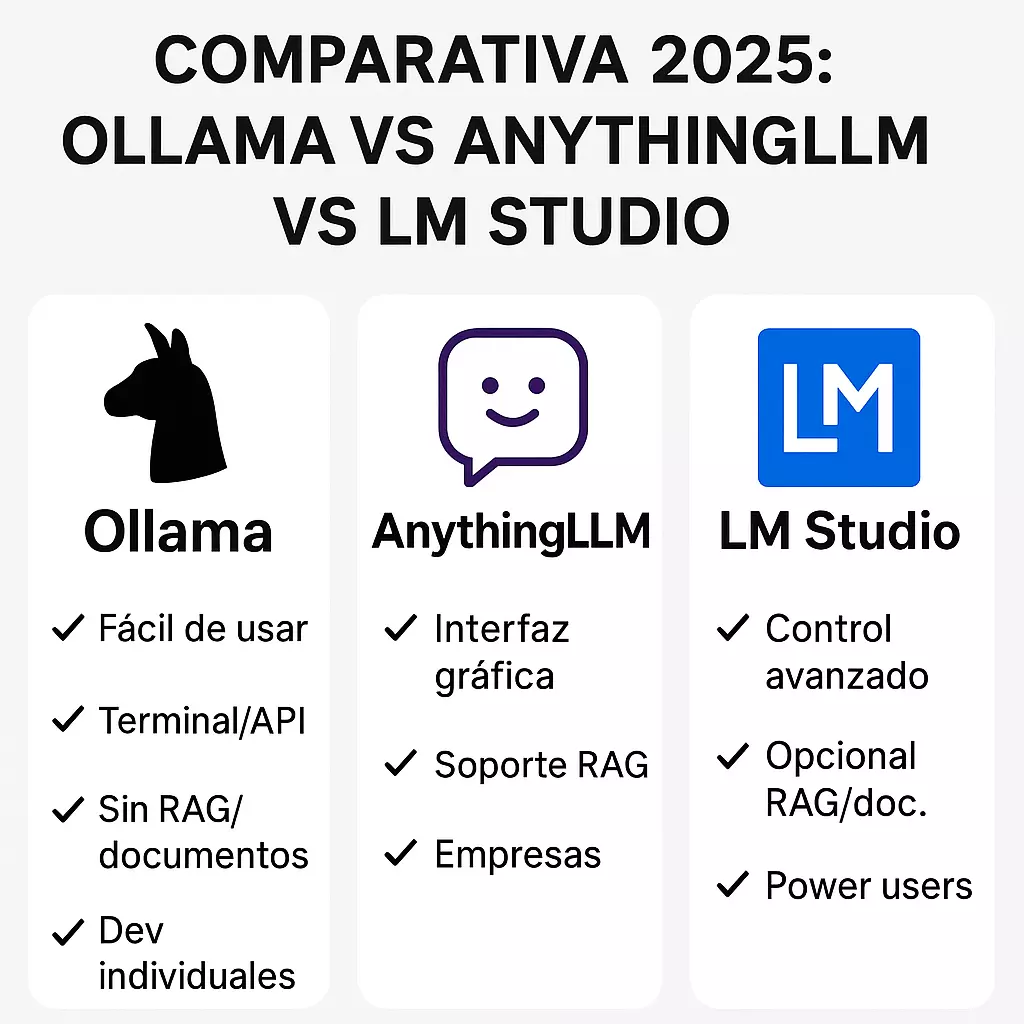
Ollama is a highly optimized inference engine designed to download, manage, and run LLM models from the command line. Its philosophy is minimalist but wildly powerful: it exposes an OpenAI-compatible REST API at localhost:11434, making it the industry standard backend for countless applications. While it caters perfectly to developers who want granular control via terminal, recent updates have expanded its ecosystem into app deployment and hybrid cloud execution.
LM Studio is a complete desktop client and local server environment with a rich GUI that allows you to discover, download, and run models seamlessly. It provides a highly configurable backend compatible with multiple APIs (OpenAI, Anthropic) and has recently expanded into headless server daemon deployments and remote encrypted instances. It is the gold standard for discovering and testing new models without technical friction.
AnythingLLM is not an inference engine, but an AI orchestration platform. It delegates model execution to Ollama, LM Studio, or cloud providers, focusing its power on the top layer: RAG (Retrieval-Augmented Generation), advanced multi-step agents, native tool calling, multi-user workspaces, and website embedding. It acts as the "business brain" connecting your documents and workflows to the underlying AI engine.
Current status in 2026: key new features
Ollama: app ecosystems and Pro cloud tier
Ollama has made massive architectural leaps through early 2026 to support the latest frontier models:
- Ecosystem App Launching: The new
ollama launch <app>command instantly spins up integrated local apps (like OpenClaw) directly from the CLI, streamlining developer workflows. - Ollama Pro: A hybrid cloud tier ($20/month) offering access to datacenter-grade hardware for massive models and parallel processing, while local offline execution remains completely free.
- Frontier MoE Optimization: Highly optimized execution for heavy Mixture-of-Experts architectures, managing 1M-token context models like DeepSeek-V4-Flash and Qwen 3.6 with unprecedented speed out of the box.
- RAG Nodes & Web Search: The community and core engine have deeply integrated RAG memory pipelines (like Weaviate nodes) and tool-calling flows directly into its execution stack.
LM Studio: LM Link, Anthropic API, and headless daemons
LM Studio's 0.4.x releases have firmly bridged the gap between personal exploration and professional infrastructure:
- LM Link: Launched in partnership with Tailscale, this provides end-to-end encrypted connections to remote LM Studio instances, letting you load and query hardware elsewhere as if it were local.
- Anthropic API Compatibility: The new
/v1/messagesendpoint allows developers to natively connect tools like Claude Code directly to LM Studio models. - Stateful v1 REST API: A massive upgrade bringing complete local MCP server support, stateful chats, and secure token-based authentication configurations.
- llmster Daemon Mode: Permits completely headless GUI-less deployments on servers or cloud instances.
- Smart CLI Estimations: Features like
lms load --estimate-onlycalculate exact VRAM/RAM footprints dynamically before loading models. - Parallel Inference: Using the
--parallelflag allows running multiple asynchronous predictions simultaneously for high-throughput setups.
AnythingLLM: Native Tool Calling and core engine overhaul
AnythingLLM's v1.12 update cycle has cemented it as the ultimate productivity environment for teams and agents:
- Native Tool Calling: A complete overhaul that leverages the native tool-calling capabilities of Ollama and LM Studio, executing complex, multi-step agent actions with dramatically fewer hallucinated infinite loops.
- Meeting Assistant Rewrite: The entire audio transcription and processing pipeline was rebuilt in Rust, leading to a much smaller installation footprint and massively enhanced speed.
- Lemonade by AMD Integration: Built-in, first-class support for AMD's local model runtime, extracting peak efficiency from consumer AMD GPUs and NPUs.
- Agent Metrics & Scheduled Jobs: Workspaces now feature robust scheduled cron jobs for autonomous workflows, alongside granular UI metrics showing precise web and document citations from agent calls.
- Advanced RAG & Multi-user: Retains its top-tier vector DB ingestion, role-based access control (RBAC), and customizable embed widgets for public sites or internal portals.
Direct comparison: the criteria that matter
| Criterion | Ollama | LM Studio | AnythingLLM |
|---|---|---|---|
| Tool Type | Inference Engine | GUI Client + Local/Remote Daemon | Orchestration Platform |
| Interface | CLI + Basic Desktop / Native Apps | Complete GUI + CLI | Complete Web UI + Desktop App |
| RAG with documents | Via external nodes/extensions | Not native | ✅ Core feature |
| Agents & MCP Tools | Native execution via API | Stateful API + Full MCP | ✅ Automated Multi-step Agents |
| API Standards | OpenAI-compatible | OpenAI & Anthropic (Claude) APIs | Consumes APIs (Acts as orchestrator) |
| Multi-user/roles | No | No | ✅ Built-in RBAC |
| Docker Installation | ✅ Official | Via llmster Daemon | ✅ Official |
| Privacy | 100% local (Pro tier optional) | 100% local (LM Link E2E encrypted) | 100% local |
| Ideal for | Devs, backend pipelines, fast scripts | Testing architectures, Claude integration | Teams, workspaces, internal wikis |
Performance and hardware requirements
Raw token generation speed relies entirely on your hardware and quantization level. However, backend optimizations matter:
Ollama utilizes cutting-edge memory management built around `llama.cpp` advancements, aggressively targeting optimal utilization on Apple Silicon (M-series architectures) and maximizing parallel requests for those using its new Pro tier or local GPU clusters.
LM Studio enables granular tuning. You can split model execution precisely between CPU and specific GPUs (ideal for systems with mismatched VRAM setups) and features a dynamic CLI estimator that accounts for Flash Attention and visual context payloads prior to loading the weights.
AnythingLLM dictates pipeline logic rather than neural net processing. It has reduced its overhead drastically in 2026 via a Rust rewrite for internal transcriptions. For its vector ingestion, it continues to default to highly efficient on-device LanceDB logic, keeping VRAM overhead minimal while executing RAG workflows.
Minimum recommended requirements for 2026 models
For 7B-9B parameter models (e.g., Llama 3/4 variants, Gemma, lightweight Qwen):
- RAM: 16 GB recommended
- VRAM: 8 GB (NVIDIA/AMD GPU or unified Apple memory)
For 30B+ Agentic Models (e.g., Qwen 3.6 35B, Nemotron 30B MoE):
- RAM: 32 GB minimum
- VRAM: 16-24 GB or heavy CPU+RAM offloading
For 70B - 200B+ models (e.g., DeepSeek-V4-Flash):
- Hardware: Multi-GPU setups (48GB+ VRAM total) or leveraging hybrid solutions like Ollama Pro cloud connections.
Use cases: which one suits you?
You automate backend logic and build web apps
Ollama is your core tool. Whether scripting with Python, structuring logic in PHP, or orchestrating via n8n, Ollama offers zero-friction API connectivity. The introduction of ollama launch makes integrating external tools faster than ever, cementing it as the foundational infrastructure for SaaS integrations requiring invisible LLM processing.
You explore architectures or use Claude Code natively
LM Studio is unmatched here. For rapid prototyping or comparing the logic loops of a DeepSeek MoE versus a Qwen 3.6 dense architecture, the Hugging Face GUI connection is flawless. The new Anthropic API endpoint configuration also transforms LM Studio into a powerhouse for developers wanting to run Claude tools over entirely local, cost-free infrastructure. Furthermore, if you manage a remote GPU rig, LM Link provides secure access seamlessly.
You require collaborative RAG and enterprise tool suites
AnythingLLM is the absolute victor. Rather than spending weeks stringing together LangChain scripts, AnythingLLM provides out-of-the-box workspaces, deep document citations, web search verification, scheduled job cron tasks, and strict Native Tool Calling logic. It isolates multi-user environments with robust RBAC, converting generic LLM responses into auditable, factual business logic based purely on internal resources.
Integration between the three: the ultimate 2026 stack
The ecosystem is modular. You do not have to choose just one; in professional environments, they interlock to form an incredibly resilient local AI stack:
- LM Studio Daemon (llmster) acts as the remote model explorer and downloader on your dedicated hardware rig.
- Ollama runs concurrently handling strict API requests and automated developer pipelines requiring rapid programmatic load/unload states.
- AnythingLLM connects to both via
localhost, executing native tool calls and managing the vector databases for team members accessing via the web UI.
Ecosystem and alternatives in 2026
While the "Big Three" cover 95% of use cases, the local landscape contains other robust alternatives depending on your highly specific constraints:
- Open WebUI: The preeminent direct interface for Ollama, functioning with rich plugins, multi-user environments, and a lighter operational footprint than AnythingLLM, albeit with less complex internal RAG controls.
- Jan: Focused strictly on an elegant, 100% offline personal desktop experience with a clean ChatGPT-esque interface, stripping away complex backend clutter.
- LocalAI: The definitive drop-in replacement architecture for enterprise developers looking to fully mimic OpenAI infrastructure in local kubernetes networks.
- text-generation-webui (Oobabooga): Remains the wild-west testing ground for advanced users manipulating custom samplers, exl2 quantizations, and obscure tensor modifications.
Want this running in your company? We explain when local AI pays off, what it costs and how to start in IA local para empresas (in Spanish), or tell us about your case.
Next step: configure your office server with private AI (page in Spanish) or read the online AI models comparison.
Keep reading
- Work Reports: Photographic Evidence, Times, and Project Dynamics with NEXGestión7 August 2026
- Work Reports: Photographic Evidence, Times, and Project Dynamics27 June 2026
- Which GPU for local AI at your company: NVIDIA, AMD or Apple25 February 2026
- The Battle for Your Files: Synology NAS or the Microsoft Ecosystem (OneDrive, Teams, SharePoint)?18 November 2025
- The Silent Revolution of the Workplace: What is Microsoft Intune and Why It's Retiring Your Old Active Directory17 November 2025