
Office Address
Seville, Spain
Seville, Spain
Phone Number
+(34) 624 816 969
Email Address
info@forgenex.com
Available on Google Play

Seville, Spain
Seville, Spain
+(34) 624 816 969
info@forgenex.com






 by ForgeNEX
 It's no coincidence that, in this context, one name is resonating more and more in technical circles: Microsoft Intune. It's the stealthy tool that's changing the game, replacing the 'old school' of device management.
Table of contents [Show]
To understand why Intune is so relevant, we have to remember how things were done. Just yesterday, I came across an old Active Directory (AD) manual and it gave me a wave of nostalgia.
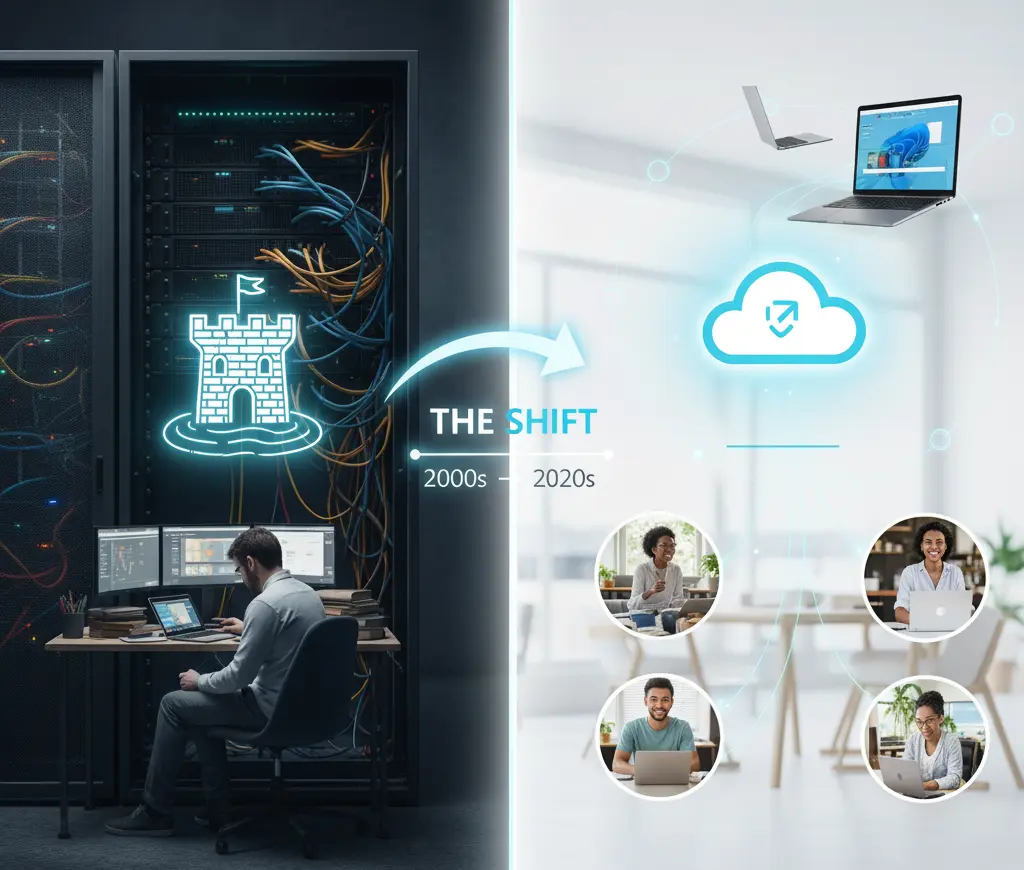
For decades, IT management was based on the 'castle and moat' model:
If you were inside the castle (in the office, connected by cable), everything worked. The Active Directory server, that fundamental pillar in a blinking rack, gave you permission to exist.
Through Group Policies (GPOs), the system administrator (SysAdmin) decided everything about your PC: which printer you used, what wallpaper you had, if you could use a USB, and which network drives you saw.
And for deploying software? We had AD's 'big brother': SCCM (System Center Configuration Manager). An incredibly powerful on-premise beast, but also incredibly complex, designed to install Windows or send the Office package to 5,000 machines at once... as long as they were inside the castle.
The problem was evident: what happened when you left the castle?
The laptop became a 'dumb' device. It didn't receive GPO updates, software couldn't be installed... unless you connected via VPN. And we all know what VPN means: slowness, disconnections, and a frustrating user experience. The 2020 pandemic didn't create this problem, but it exposed it brutally. The castle model collapsed when everyone had to work from outside.
This is where Microsoft Intune comes in. Intune isn't a program you install on a server; it's a cloud service. It's part of the Microsoft Endpoint Manager (MEM) suite, although Microsoft is now calling it simply 'Intune' again.
The philosophy is radically opposite. Intune doesn't care about the 'castle'.
Intune abandons the idea of managing the network and focuses on managing the endpoint (the device) and the identity (the user), no matter where they are.
It's fundamentally a Unified Endpoint Management (UEM) platform. This breaks down into two key concepts that are sometimes confused:
This is what most people think Intune is. It's the ability to control the entire device. When the company gives you a new laptop or a company mobile, it 'enrolls' it in Intune.
From there, Intune takes control (replacing GPOs):
This is where Intune becomes brilliant and solves the BYOD (Bring Your Own Device) problem.
Yesterday, I was talking with a client who told us: 'My salespeople want to use their personal mobiles to check work email, but I'm terrified that data will end up in their personal Dropbox or WhatsApp.'
Intune, through MAM, allows creating a secure 'container' inside the employee's personal device. The company doesn't control your mobile (it doesn't see your photos or your browsing history), but it controls its applications.
With MAM policies (known as App Protection Policies), we can do things like:
If the employee leaves the company, the IT department simply sends a 'selective wipe' signal. Intune deletes the company container (emails, contacts, files) without touching a single personal photo on the device. It's the perfect balance between flexibility and security.
The migration is clear. Intune, along with its companion Azure Active Directory (now renamed to Microsoft Entra ID), is replacing classic pieces of the IT puzzle:
If there's something that demonstrates the power of this new philosophy, it's Windows Autopilot.
The 'old school' process was:
The 'new school' process with Intune + Autopilot:
The IT technician hasn't even touched the box. This isn't science fiction; it's the day-to-day of thousands of companies that have adopted modern management.
Intune isn't just 'an SCCM in the cloud'. It's a mindset change. It's Microsoft's response to the post-perimeter world, a world where security can't depend on a physical wall.
The 'old school' of Active Directory and GPOs was solid, but rigid. It belonged to an era when work happened in a specific physical place. Today, work is an activity, not a place.
Adopting Intune means adopting Zero Trust: trusting no one by default, not even if they're 'inside' the office, and always verifying the user's identity and the device's 'health' before granting access.
It's a path that, like everything in technology, requires learning (ask any SysAdmin who's migrating GPOs to Intune profiles), but it's a path of no return. IT management has definitively left the server room and now lives in the cloud.
