

Property management
Oversee properties and homeowners’ associations with ForgeNEX
Try ForgeNEX with this solution for 14 daysChoose this solution when you set up your CRM.
What you can manage
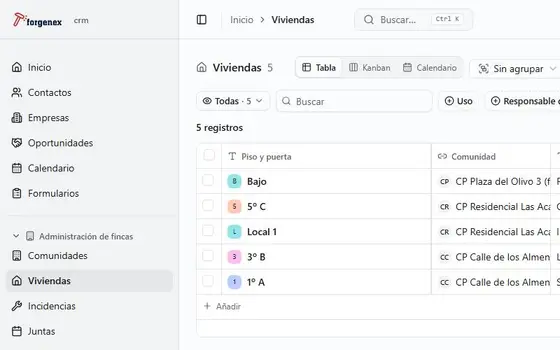
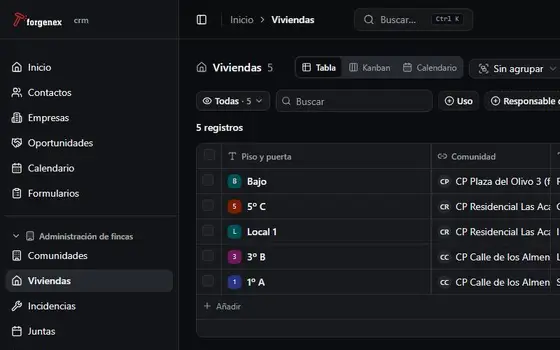
Use «Homeowners' associations» as the starting point for Property management. The same workspace also has tables for «Homes», «Issues», and «Board meetings», so your team can keep each type of record in its own place.
What’s included
Homeowners' associations
Name · Company tax ID · Address · Number of homes · Chairperson · Chairperson's phone · Association IBAN · Registered homes · Issues.
Views · map
Record PDF.
Homes
Homeowners' association · Flat and door · Owner · Phone · Email · Coefficient · Monthly fee · Annual fee · Usage (Home, Premises, Parking space, and Storage room).
Record PDF.
Issues
Issue · Homeowners' association · Association name · Affected home · Request date · Status (Open, Quote requested, In progress, Resolved, and Closed) · Priority (Low, Medium, High, and Urgent) · Assigned contractor (including Plumbing, Electrical work, Lifts, Locksmithing, Cleaning, and Gardening) · Supplier company · Cost · Description · Resolved on.
Views · Kanban board
Record PDF.
Board meetings
Homeowners' association · Date and time · Type (Regular and Extraordinary) · Location · Agenda · Agreements · Status (Scheduled, Held, and Minutes sent).
Views · calendar
Record PDF.
Receipts
Number · Homeowners' association · Home · Owner · Type (Regular fee and Special assessment) · Period · Issue · Expiry date · Status (Pending, Collected, and Returned) · Line items (Description, Quantity, Price, and Total) · Total.
Views · Kanban board
Record PDF.
Automation rules supplied · 3
A day with ForgeNEX
- You set up the homeowners’ association with its tax ID and address, then add the homes that belong to it.
- When a resident reports an issue, you note which home is affected and which trade or supplier will look after it.
- After the next association meeting, you write up what was agreed and download the meeting details as a PDF to share.
Working with Pix
- Which urgent property issues are still open, and which contractor is assigned to each one?
- Draft an agenda for our next homeowners’ association meeting using the open issues.
Pix can access only the records your account can see.
Frequently asked questions
- Where do I start with «Homeowners' associations»?
- Choose «Property management» when setting up ForgeNEX CRM. Open «Homeowners' associations» to create and review records with the included fields.
- Can I adapt the solution to the way my team works?
- Yes. After installing «Property management», use the CRM designer to adjust fields and views such as those in «Homeowners' associations».
- What can Pix help me review in «Homeowners' associations»?
- Ask Pix to summarise the records you can access in «Homeowners' associations». Pix uses your account permissions.
Let us or a partner set it up for you
Tell us how your team works so we can discuss the setup.
Talk about setup