
Office Address
Seville, Spain
Seville, Spain
Phone Number
+(34) 624 816 969
Email Address
Available on Google Play

Seville, Spain
Seville, Spain
+(34) 624 816 969






 by ForgeNEX
 Table of contents [Show]
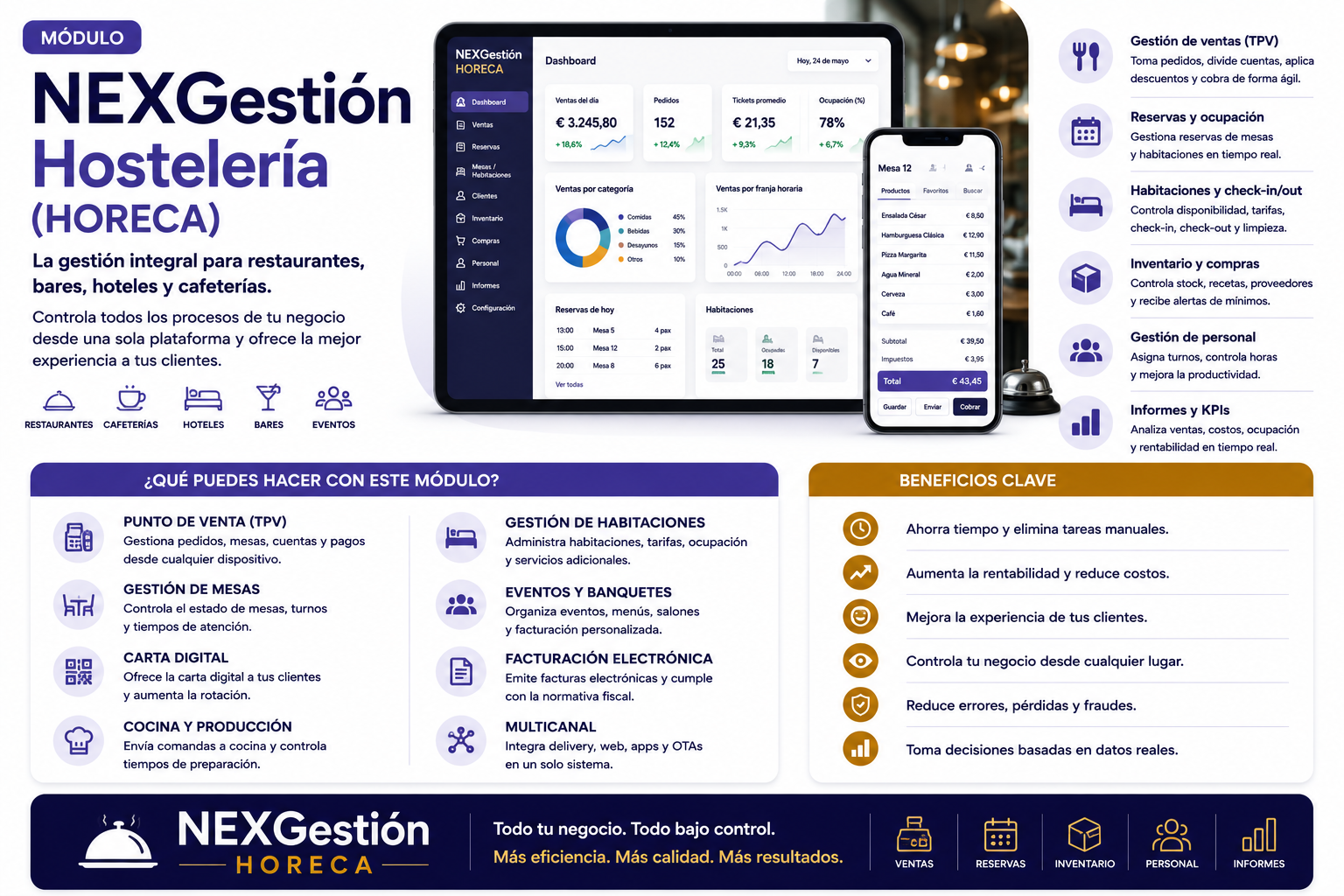
If you manage a restaurant, bar, or catering business, you know that customer experience is as important as food quality. But in the digital age, diners expect more: speed, personalization, and contactless options when needed. The digital menu has become a necessity, but implementing it shouldn't mean a revolution in your daily operations.
At NEXGestión, we have developed a comprehensive QR menu manager that not only digitalizes your menu but also integrates the complete operations of your business: from table and order management to inventory control and supplier relationships. And the best part: you can adapt it to your way of working without needing to code.
But it's not just about the menu. Our HORECA module allows you to manage the day-to-day of your restaurant: reservations, table management, staff shifts, ingredient stock control, and restocking alerts. All connected via APIs and Webhooks with your favorite tools, such as delivery platforms or point-of-sale systems.
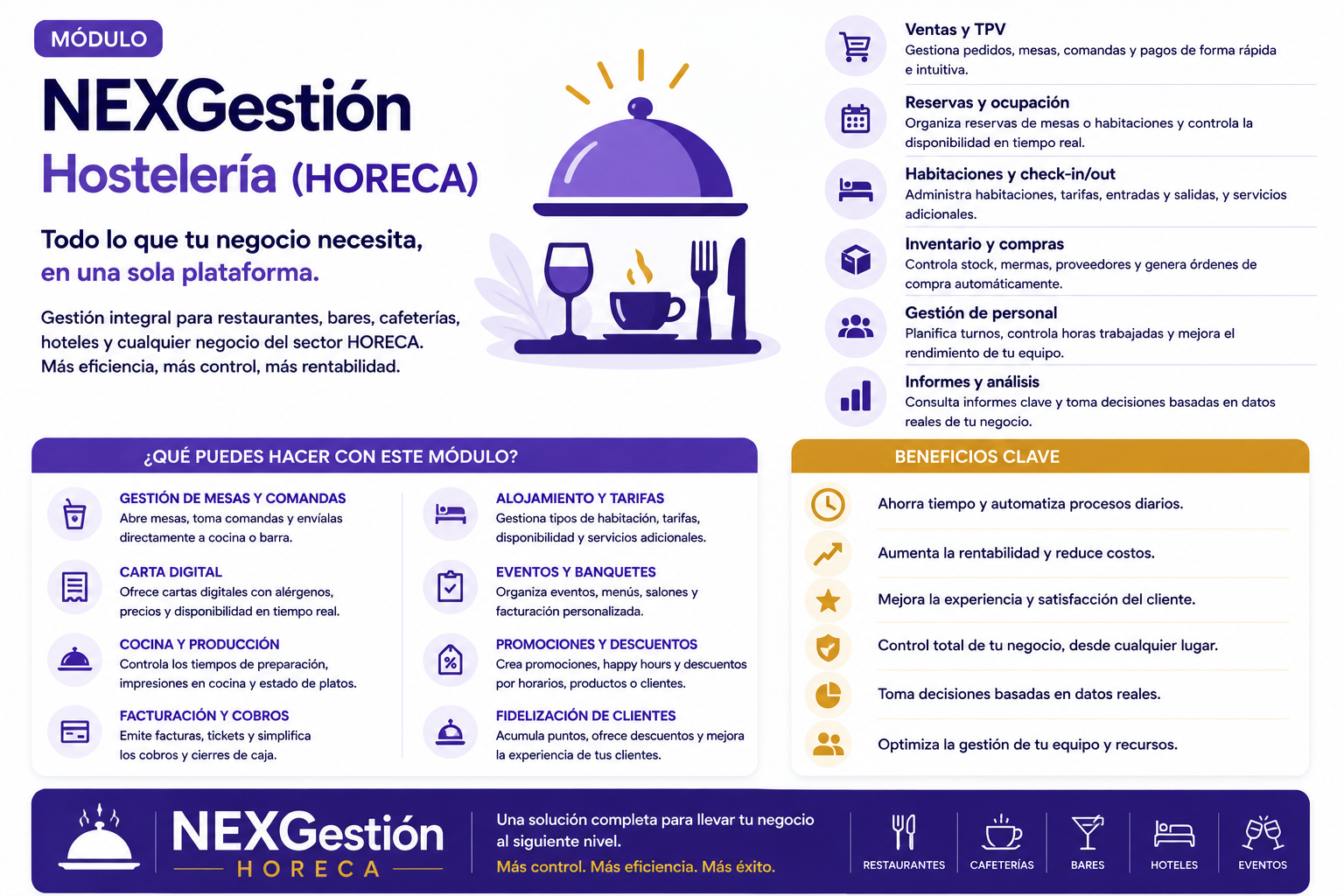
At NEXGestión, our greatest value is low-code/no-code development. If you can't find a pre-built module that fits your business, you can create your own with AI assistance. For example, do you need a loyalty points system? Or a module to manage private events? With NEXGestión, you have the freedom to design a solution tailored to you.
Additionally, the digital menu can be integrated with your customer portal, allowing users to place advance orders, book tables, and receive personalized promotions. All with granular permissions so your team only accesses what they need.
Restaurants of various sizes are already using NEXGestión to transform their operations. One example is a Mediterranean restaurant that reduced wait times by 30% and increased dessert sales thanks to personalized suggestions on the digital menu. Another case is a tapas bar that uses the inventory module to avoid stockouts and negotiate better with suppliers.
If you want to see how other sectors have used NEXGestión, we invite you to read our success story at a swimming school, where the platform's flexibility was key.
The hospitality industry doesn't need rigid solutions that force you to change the way you work. It needs tools that adapt to your processes and enhance the customer experience. With NEXGestión, you have the digital menu, operational management, and the freedom to customize everything without coding. Are you ready to digitalize your restaurant intelligently?
