

Transport
Coordinate freight transport with ForgeNEX
Try ForgeNEX with this solution for 14 daysChoose this solution when you set up your CRM.
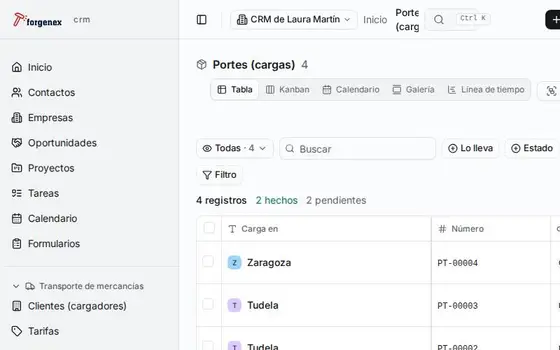
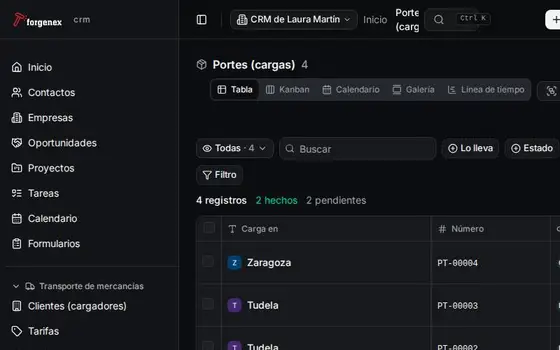
What you can manage
Use «Customers (shippers)» as the starting point for Freight transport. The same workspace also has tables for «Rates», «Vehicles», and «Drivers and contractors», so your team can keep each type of record in its own place.
What’s included
Customers (shippers)
Name · Tax ID · Phone · Email · Usual loading address · Payment terms (days) · Shipments in progress · Delivered shipments · Collected · Payment due.
Rates
Name · Customer · Price per km · Minimum freight charge · Per pallet (groupage) · Active.
Vehicles
License plate · Type (Van, Rigid lorry, Tractor unit and semi-trailer, and Refrigerator) · Payload (kg) · Mileage · Next vehicle inspection · Tachograph inspection · Status (Available, On route, At the workshop, and Inactive) · Expense · Maintenance · Vehicle cost.
Views · Kanban board and calendar
Drivers and contractors
Name · Tax ID · Phone · Email · Relationship (Employee and Self-employed contractor) · Licence expiry · CPC expiry · Active · Delivered shipments.
Views · calendar
Routes (route sheets)
Number · Vehicle · License plate · Driver · Driver · Departure · Expected return · km · Status (Planned, In progress, Closed, and Cancelled) · Shipments · Weight (kg) · Overload · Revenue · Expenses · Margin · Instructions.
Views · Kanban board and calendar
Record PDF.
Loads
Number · Customer · Customer · Rate · Loading date · Delivery requested · Loading location · Unloading location · Recipient · Recipient email · Goods · Pallets · Weight (kg) · km · As per rate · Price · Route · Driver or contractor · Carrier (Own vehicle and Subcontractor) · Status (Order, Assigned, Loaded, In transit, Delivered, and Cancelled) · Order signed by the customer · Signed loading order.
Views · Kanban board and calendar
Record PDF.
Delivery notes
Number · Shipment · Customer · Shipment · Destination · Goods · Pallets · Recipient · Recipient email · Delivered · Pallets delivered · Notes (damage, missing items) · Status (Pending, Sent for signature, and Signed) · Signed delivery note.
Views · Kanban board
Record PDF.
Issues
Shipment · Customer · Date · Type (Delay, Cargo damage, Missing parcels, Rejected at destination, and Other) · What happened · Cost · Status (Open, In progress, and Closed).
Views · Kanban board
Route expenses
Route · Vehicle · Driver · Date · Type (Diesel fuel, AdBlue, Toll, Per diem, Parking, and Other) · Litres · Amount · €/litre.
Maintenance jobs
Vehicle · Date · Type (Service, Vehicle inspection, Tachograph, Tyres, and Breakdown) · Workshop · Amount · Status (In the workshop and Done).
Views · Kanban board
Payments
Customer · Date · Amount · Payment method (Bank transfer, Direct debit receipt, Promissory note, and Supplier finance) · Reference or invoice.
Freight settlements
Month (YYYY-MM) · Driver or contractor · Status (Draft, Approved, Closed, and Paid) · Total · Shipments (Shipment, Shipment price, Next in rotation, and Rule).
Automation rules supplied · 10
Message templates · 2
A day with ForgeNEX
- When you add customers (shippers), you start with name, tax id, and phone so the team has the details to hand.
- As the day goes on, you use the Kanban board to keep track of vehicles.
- If you need to keep or share the details from routes (route sheets), you download the PDF.
Working with Pix
- Which vehicles (van) are marked as on route?
- Can you break down vehicles (van) by next vehicle inspection?
Pix can access only the records your account can see.
Frequently asked questions
- Where do I start with «Customers (shippers)»?
- Choose «Freight transport» when setting up ForgeNEX CRM. Open «Customers (shippers)» to create and review records with the included fields.
- Can I adapt the solution to the way my team works?
- Yes. After installing «Freight transport», use the CRM designer to adjust fields and views such as those in «Customers (shippers)».
- What can Pix help me review in «Customers (shippers)»?
- Ask Pix to summarise the records you can access in «Customers (shippers)». Pix uses your account permissions.
Let us or a partner set it up for you
Tell us how your team works so we can discuss the setup.
Talk about setup