

Services
Manage laundry and dry cleaning with ForgeNEX
Try ForgeNEX with this solution for 14 daysChoose this solution when you set up your CRM.
What you can manage
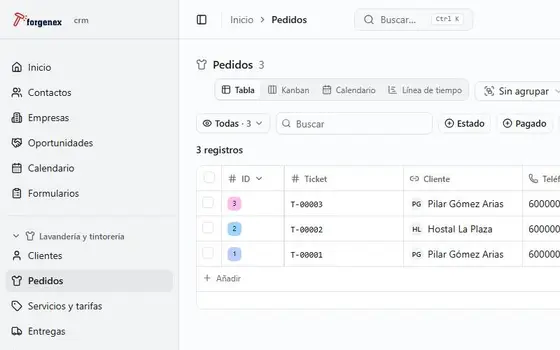
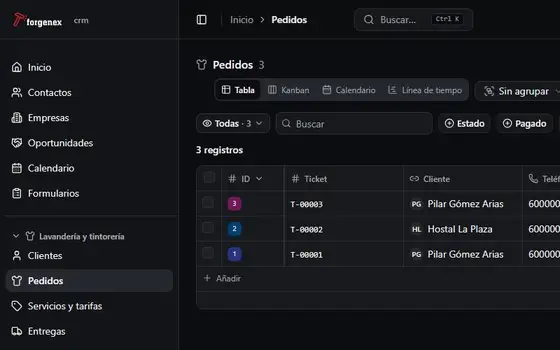
Use «Customers» as the starting point for Laundry and dry cleaning. The same workspace also has tables for «Orders», «Services and pricing», and «Deliveries», so your team can keep each type of record in its own place.
What’s included
Customers
Name · Phone · Email · Is a business (hotel, restaurant…) · Orders.
Orders
Receipt · Customer · Phone · Intake · Ready by · Garments and services (Description, Quantity, Price, and Total) · Total · Status (Received, In progress, Ready, and Delivered) · Paid · Notes (stains, buttons…).
Views · Kanban board and calendar
Record PDF.
Services and pricing
Name · Category (Wash, Ironing, Dry cleaning, and Home) · Price · Unit · For sale · Description.
Views · Kanban board
Deliveries
Order · When · Type (Store pickup and Home delivery) · Address · Who is handling it · Status (Expected, On the way, Delivered, and Failed).
Views · calendar, Kanban board, and map
Issues
Order · Date · Type (Stain that won't come out, Lost garment, Damaged garment, and Delay) · Status (Open, In progress, and Resolved) · What happened · Resolution · Compensation.
Views · Kanban board
Automation rules supplied · 2
A day with ForgeNEX
- When you add customers, you start with name, phone, and email so the team has the details to hand.
- As the day goes on, you use the Kanban board to keep track of orders.
- If you need to keep or share the details from orders, you download the PDF.
Working with Pix
- Which deliveries (store pickup) are marked as on the way?
- Can you break down deliveries (store pickup) by when?
Pix can access only the records your account can see.
Frequently asked questions
- Where do I start with «Customers»?
- Choose «Laundry and dry cleaning» when setting up ForgeNEX CRM. Open «Customers» to create and review records with the included fields.
- Can I adapt the solution to the way my team works?
- Yes. After installing «Laundry and dry cleaning», use the CRM designer to adjust fields and views such as those in «Customers».
- What can Pix help me review in «Customers»?
- Ask Pix to summarise the records you can access in «Customers». Pix uses your account permissions.
Let us or a partner set it up for you
Tell us how your team works so we can discuss the setup.
Talk about setup