

Trades
Organise locksmithing with ForgeNEX
Try ForgeNEX with this solution for 14 daysChoose this solution when you set up your CRM.
What you can manage
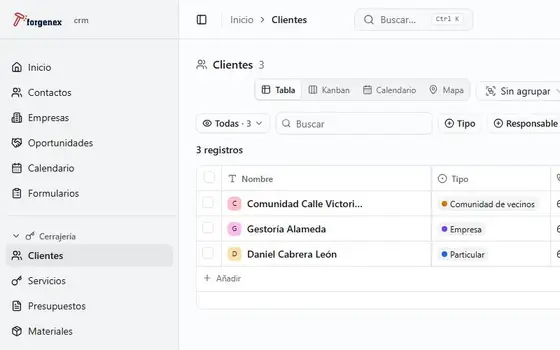
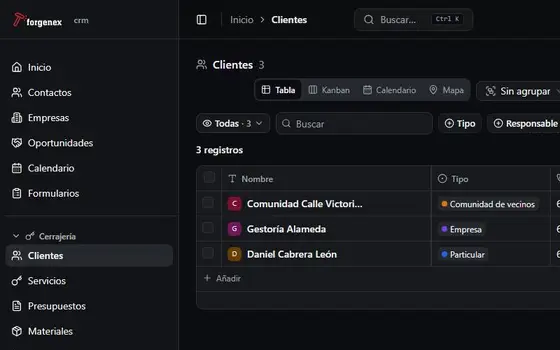
Use «Customers» as the starting point for Locksmithing. The same workspace also has tables for «Services», «Estimates», and «Materials», so your team can keep each type of record in its own place.
What’s included
Customers
Name · Type (Private, Company, and Homeowners' association) · Phone · Email · Tax ID · Address · Notes (access, schedule, keys…) · Services.
Views · map
Services
Reference · Customer · Phone · Job type (Opening, Lock cylinder replacement, Security lock, Shutter, and Door and hardware) · Work required · Service address · Appointment · Status (Pending, Quoted, Scheduled, Done, Collected, and Cancelled) · Urgent · Night or holiday service · Residence verified · Materials and labor (Description, Quantity, Price, and Total) · Total · Completed on.
Views · Kanban board, calendar, and map
Record PDF.
Estimates
Reference · Customer · Service · Date · Valid until · Status (Draft, Sent, Accepted, and Rejected) · Line items (Description, Quantity, Price, and Total) · Total · Terms.
Views · Kanban board
Record PDF.
Materials
Name · Category (Consumable, Spare part, Equipment, and Tool) · Unit · Cost · Sale price · Stock · Minimum stock · Supplier.
Views · Kanban board
Site visits
Service · When · Technician · Result (Expected, Done, No access, and Follow-up required) · Duration · Notes.
Views · calendar and Kanban board
Automation rules supplied · 2
A day with ForgeNEX
- When you add customers, you start with name, type, and phone so the team has the details to hand.
- When a job comes in, you note what kind of work it is. That could be opening, lock cylinder replacement, and security lock.
- With ForgeNEX Billing connected, you draft the quote from the details in services and check it before sending.
Working with Pix
- Which services (opening) are marked as quoted?
- Can you break down services (opening) by appointment?
Pix can access only the records your account can see.
Frequently asked questions
- Where do I start with «Customers»?
- Choose «Locksmithing» when setting up ForgeNEX CRM. Open «Customers» to create and review records with the included fields.
- Can I adapt the solution to the way my team works?
- Yes. After installing «Locksmithing», use the CRM designer to adjust fields and views such as those in «Customers».
- What can Pix help me review in «Customers»?
- Ask Pix to summarise the records you can access in «Customers». Pix uses your account permissions.
Let us or a partner set it up for you
Tell us how your team works so we can discuss the setup.
Talk about setup