

Professional services
Manage agency and projects with ForgeNEX
Try ForgeNEX with this solution for 14 daysChoose this solution when you set up your CRM.
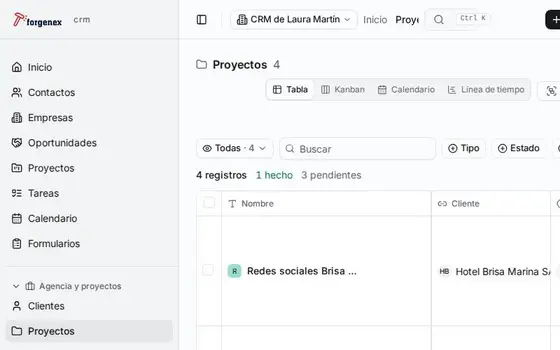
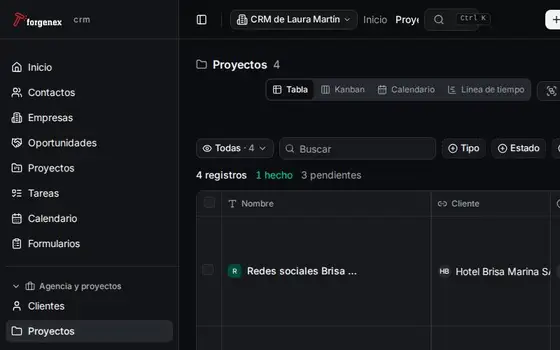
What you can manage
Use «Customers» as the starting point for Agency and projects. The same workspace also has tables for «Projects», «Project tasks», and «Time entries», so your team can keep each type of record in its own place.
What’s included
Customers
Name · Contact person · Phone · Email · Tax ID · Sector (Retail, Hospitality, Industry, Services, and Other) · Projects · Address · Payment due · Collected.
Record PDF.
Projects
Name · Customer · Type (Website, Brand identity, Campaign, Social media, and App) · Start date · Expected end date · Status (Proposal, In progress, In review, Delivered, Paused, and Cancelled) · Estimate · Scope · Hours spent · Delivered on · Account manager · Planned hours · Hourly rate · Internal hourly cost · Tracked time (min) · Actual hours · Hours used (%) · Value of hours · Invoiced · Collected · To invoice · Expenses · Margin · Change requests to review.
Views · Kanban board and timeline
Record PDF.
Project tasks
Task · Project · Assignee · Due · Priority (Low, Medium, and High) · Status (Pending, In progress, In review, and Done) · Notes · Assigned to · Estimated hours.
Views · Kanban board and calendar
Time entries
Project · Date · Period start · Period end · Person · Hours · Work carried out · Who · Timer · Billable · Hours · Value.
Views · calendar
Proposals
Number · Customer · Project · Date · Valid until · Status (Draft, Sent, Accepted, and Rejected) · Line items (Description, Quantity, Price, and Total) · Total · Terms · Customer · Customer tax ID · Accepted on · Accepted estimate (signed).
Views · Kanban board
Record PDF.
Team members
Name · Email · Phone · Position (Management, Accounts, Design, Development, and Consulting) · Hourly rate · Hourly cost · Commission on collected payments (%) · Time logged (min) · Tracked time (min) · Hours.
Billing milestones
Number · Project · Estimate · Customer · Customer · Project · Account manager · Description · Amount · Share of quote (%) · Expected date · Request date · Payment terms (days) · Due · Status (Pending, Ready to invoice, Requested, Collected, and Cancelled).
Views · Kanban board
Record PDF.
Deliverables
Project · Project · Customer · Release milestone · Deliverable · Version · Delivery · Files · Customer notes · Status (Processing, Sent to customer, Changes requested, and Approved) · Signed off.
Views · Kanban board
Record PDF.
Change requests
Project · Requested change · Details · Estimated hours · Rating · Status (Order, Estimated, Approved, and Rejected).
Views · Kanban board
Project expenses
Project · Description · Date · Amount · Charged to customer.
Commissions
Month (YYYY-MM) · Assignee · Status (Draft, Approved, Closed, and Paid) · Total · Paid milestones (Milestone, Collected, Commission, and Rule).
Automation rules supplied · 13
Message templates · 2
A day with ForgeNEX
- When you add customers, you start with name, contact person, and phone so the team has the details to hand.
- When a job comes in, you note what kind of work it is. That could be low, medium, and high.
- With ForgeNEX Billing connected, you draft the quote from the details in proposals and check it before sending.
Working with Pix
- Which projects (website) are marked as in progress?
- What’s the total for projects (website), adding up estimate?
Pix can access only the records your account can see.
Frequently asked questions
- Where do I start with «Customers»?
- Choose «Agency and projects» when setting up ForgeNEX CRM. Open «Customers» to create and review records with the included fields.
- Can I adapt the solution to the way my team works?
- Yes. After installing «Agency and projects», use the CRM designer to adjust fields and views such as those in «Customers».
- What can Pix help me review in «Customers»?
- Ask Pix to summarise the records you can access in «Customers». Pix uses your account permissions.
Let us or a partner set it up for you
Tell us how your team works so we can discuss the setup.
Talk about setup